
Cheat sheet
The complete list of slash commands and keyboard shortcuts.
Slash commands
Type / in the composer for autocomplete. Every command accepts extra instructions: /summarize focus on the methodology:
| Command | Prompt sent to the model |
|---|---|
/summarize | 3–5 bullet summary |
/translate | Translate to Chinese |
/rewrite | More concise rewrite, keeping all facts |
/explain | Explain for a beginner in simple language |
/outline | Nested outline of headings only |
/keypoints | Top 5 takeaways |
/prompt | Show the current active system prompt (not sent to the model) |
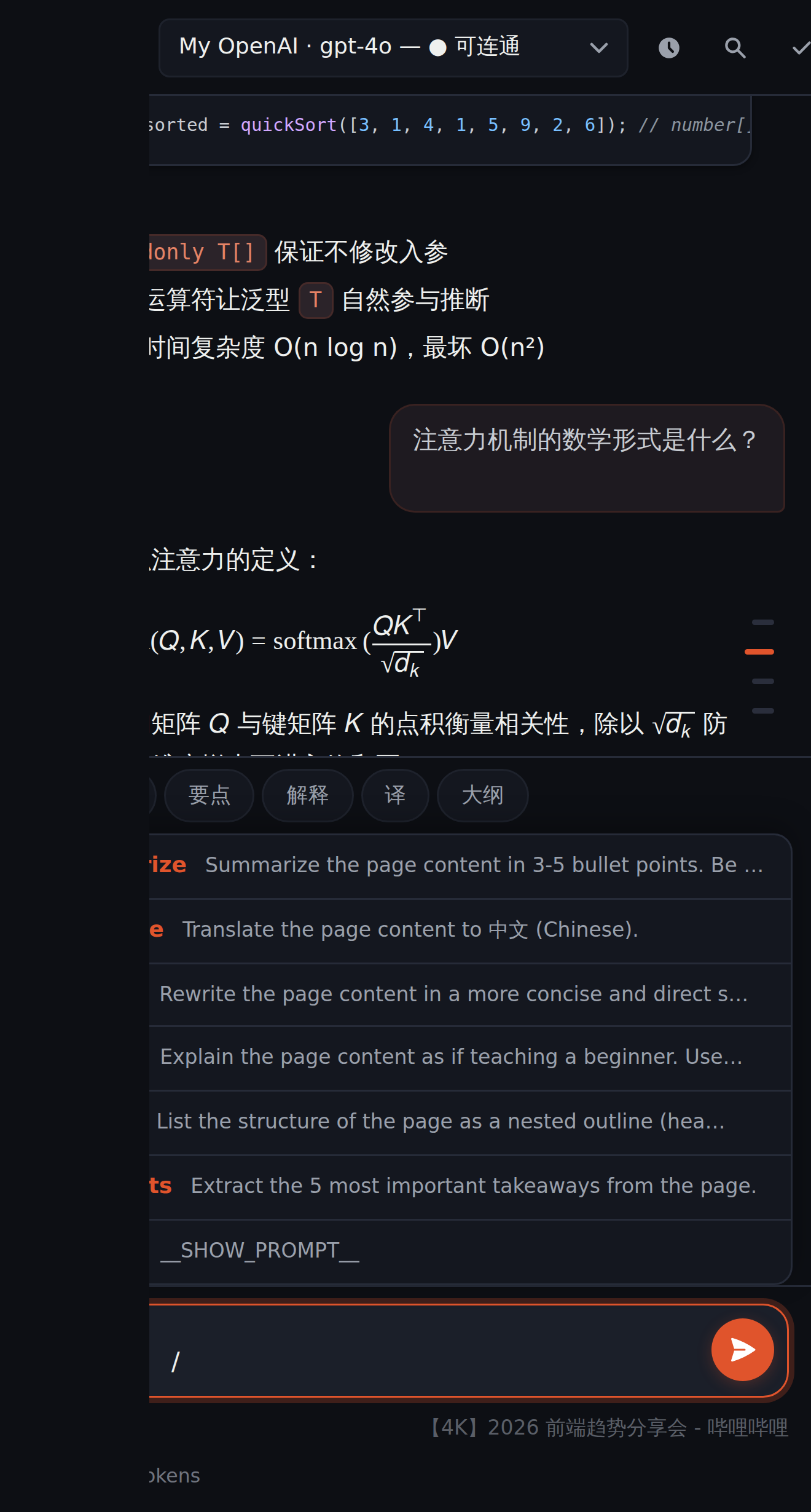
Quick actions
One-click buttons above the composer: Summarize / Key Points / Explain / Translate / Outline — equivalent to the matching slash commands.
When you select text on a page, the floating toolbar offers Ask · Explain · Translate · Summarize — Explain and Translate answer inline (streaming card next to the selection), Ask and Summarize go to the panel; the right-click menu (browsa › …) sends all four to the panel.
Keyboard shortcuts
| Shortcut | Action |
|---|---|
| Ctrl+Shift+H (macOS Command+Shift+H) | Open / close side panel |
| Enter | Send message (configurable in Settings) |
| Shift+Enter | New line |
| Ctrl+K | Clear history (undoable for 5 seconds) |
| Ctrl+/ | Cycle context mode (Auto ↔ Screenshot) |
| Ctrl+F | Open in-conversation search |
| Esc | Cancel stream / close search / close drawer |
| ↑ / ↓ (empty composer) | Recall input history |