
Output & rendering
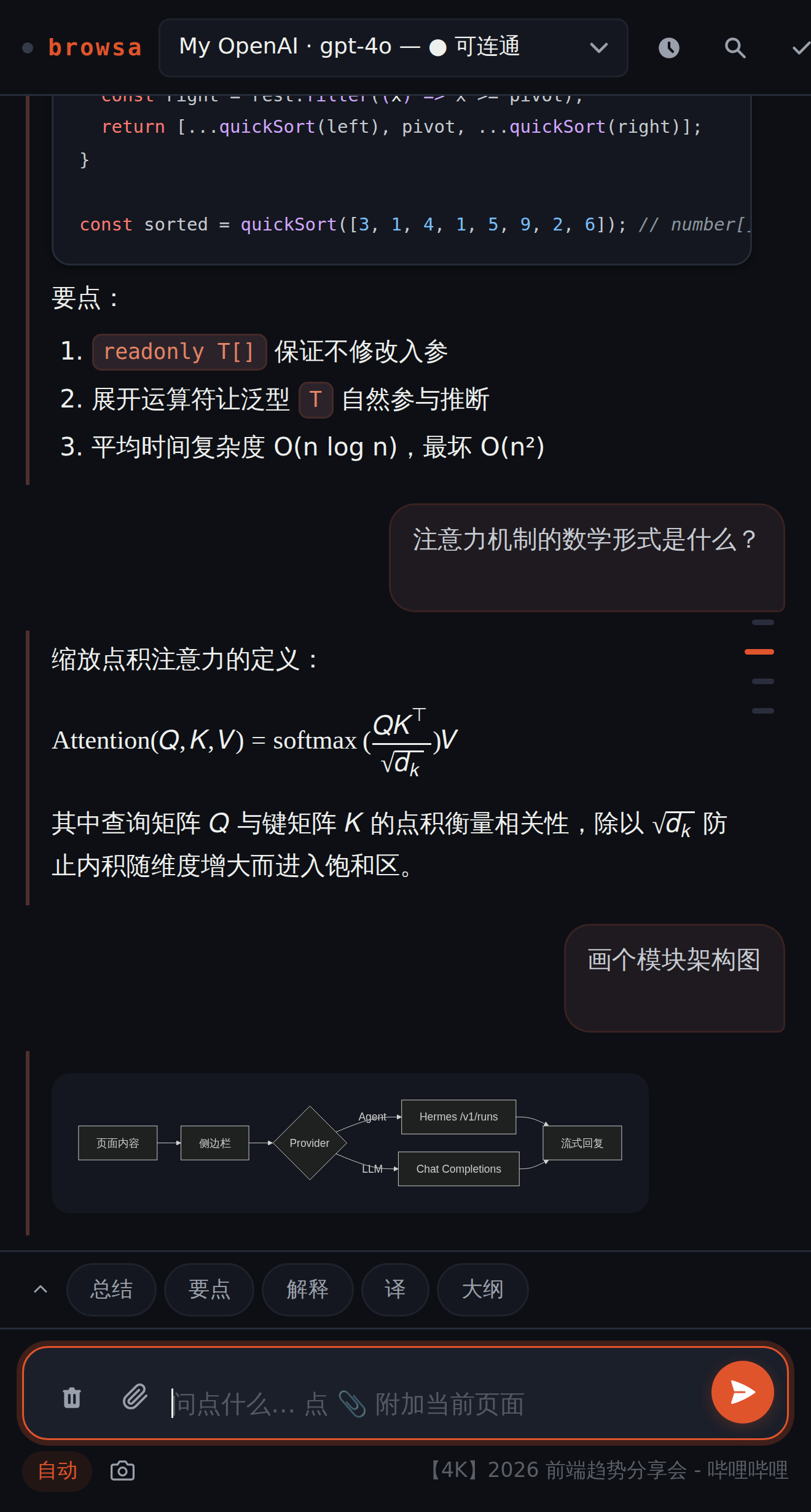
Replies render in place, inside the panel: code is highlighted, formulas compose, diagrams draw themselves. Everything happens locally — no rendering service involved.
Streaming replies & queued follow-ups
Replies stream in token by token; Esc or the ✕ stops them anytime. You can keep typing while a reply streams — messages queue up automatically and send in order the moment the reply finishes.
Markdown & code
- Full GFM: tables, task lists, nested quotes;
- Syntax highlighting for 40+ languages;
diffblocks color+green and-red; - ⎘ copies the complete raw Markdown of any reply;
- Hover any message to see when it was sent.
LaTeX formulas
Inline $...$ and display $$...$$ both render via KaTeX. Formula-heavy messages are automatically offloaded to a Web Worker so the panel never janks. Math inside the thinking trace renders too; math inside diagrams follows each renderer — mind-map nodes use native MathML, and Mermaid / ECharts / DOT labels use scripts or Unicode instead of printing raw LaTeX.
Diagrams: flowcharts · charts · mind maps
Just ask — "draw a flowchart of this table", "turn this outline into a mind map". The model emits a code block in the matching format and browsa renders it in place:
```mermaid— flowcharts / sequence diagrams;```echarts— charts;```markmap— mind maps.
Each diagram gets a hover toolbar: zoom, copy source, export SVG. When a Mermaid block fails to parse, a one-click button sends it back to your model for repair — the fixed diagram is validated locally before it replaces the broken one.
Images in replies
Click any figure to open it full-size: wheel or trackpad zoom (anchored on the cursor), drag to pan once zoomed, double-click to zoom in or reset, Esc or a backdrop click to close. You can also resize one in place — hover a reply image and a small handle appears at its bottom-right corner; drag sideways to change the width and it stays put. Sizes are remembered per image, so they survive a panel reopen or a session switch. Icon-sized images get no handle — dragging those larger only wrecks the layout, and opening them is what you actually want.
Follow-up: go deep on a selection
Select any text inside a reply and a "follow-up" entry appears — a scoped side-conversation about just that excerpt. Follow up freely; the main history stays untouched. The selected passage stays highlighted in the reply (also after reopening the side panel); the card folds down to its quote or closes with the X. Reopening the side panel restores it folded with the selection still highlighted — one click expands the whole Q&A (it lives only in the current browser session; closing the card deletes it). The card is resizable; paste images straight into its input, just like the main composer. If the selection itself contains images (inline figures, video keyframes), they appear at the top of the card as part of the quote and are sent to the model with every follow-up turn — circling a single image with no text selected is enough to open a follow-up.
Outline navigation
After 4 turns a quiet tick rail appears: click to jump to a turn, hover to preview it. No more scroll-wheel archaeology in long conversations.
Fixing & redoing
- ✏ Edit & resend: revise any message you sent and restart from there;
- ⟳ Regenerate: re-run any reply;
- Error cards: when a provider errors, you get a plain-language headline first (auth / rate-limit / timeout / network / 5xx), with the raw error folded below — expandable and copyable.