
Sessions & organizing
History is one growing conversation — don't fear it getting long. Save, search, export, and bulk-organize; the tools live in the drawer and the shortcuts.
Saving & restoring sessions
The 🕐 button in the top bar opens the sessions drawer: save the current conversation under a name and restore it anytime. The list groups by age (Today / Yesterday / This week / Earlier), and favorites can be pinned to the top.
- Restoring a session brings the whole history back into the panel, together with its Agent thread IDs for each provider and bridge address;
- Any session can be exported as a Markdown file;
- Sessions can be renamed;
- Older snapshots without recorded Agent IDs start a fresh Agent thread on the first message, carrying their existing text history once.
- Switching sessions mid-reply never kills the reply — it keeps running in the background and lands in the session it started in (marked with an in-flight dot in the drawer). Stopping a reply yourself keeps whatever already streamed, marked as interrupted.
- A deleted origin never loses the reply — if the session a background reply belongs to is deleted before it finishes, the reply is not written into whatever conversation is on screen. A "Recovered turn (…)" session is recreated in the drawer with the full content.
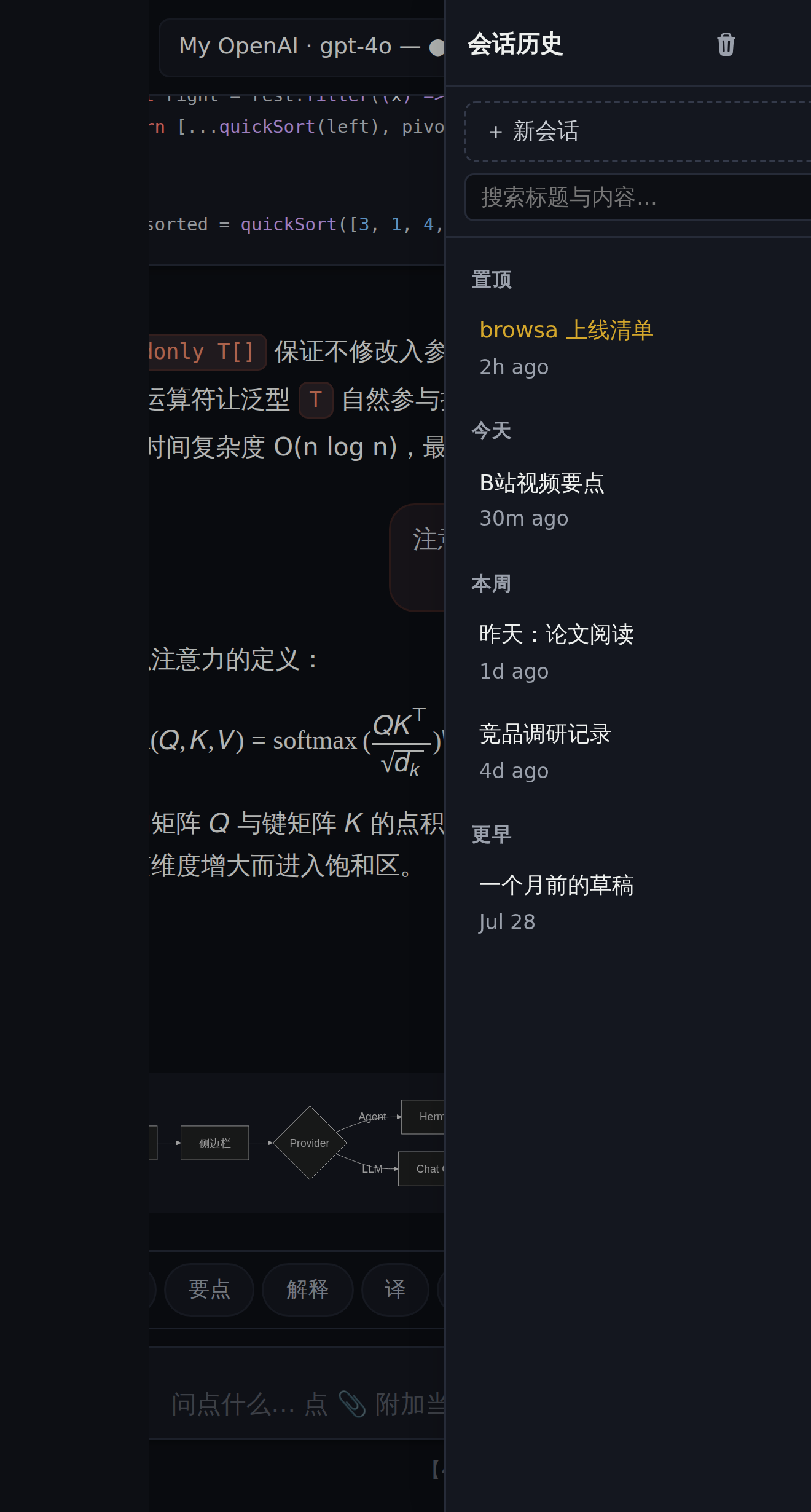
New topic? Save a session. browsa's conversation is one global thread — "save session + clear" is the smoothest way to organize topics.
Search
The top-bar ⋯ More actions contains search and message selection. Settings and session history stay directly accessible in the top bar. Rename sessions with the row’s rename button, a double-click on its name or F2. While saving, that row’s editor is temporarily disabled; it becomes available again when the result arrives.
- Ctrl+F: full-text search across the current conversation, matches highlighted with a count and wraparound jumping;
- The drawer's search box filters saved sessions by title and message content — content-only hits are flagged.
Deleting, with a safety net
- Messages support multi-select batch deletion;
- Session deletion is two-step: the first click arms the button, the second commits (Ctrl/Cmd+click skips the arming);
- Failed pin, rename or delete operations show the reason and keep the original state available for retry;
- The composer’s trash button or Ctrl+K clears the current messages. Confirmation is required; clearing cannot be undone.
Input that keeps up
- ↑/↓ recalls previously sent messages — edit and resend; without editing, ↓ past the newest entry restores your draft. Follow-up cards work the same way;
- Closed the panel mid-sentence? Your draft survives, ready next time;
- Slash commands, quick actions, selection toolbar — see the cheat sheet.