
Settings & privacy
The settings are few, and each solves a specific problem. This page also lays out exactly where your data goes.
Settings, one by one
| Setting | What it does |
|---|---|
| System prompt | Prepended to every conversation as role: system — reply language, tone, and format rules live here |
| Reply language | Force replies in a specific language regardless of the page's language |
| UI language | English / 中文 / 日本語 / 한국어 / Español / Português / Русский / Auto (follows the browser) — immediate for the panel, floating toolbar and right-click menu, no page reload |
| Selection toolbar & llms.txt | Toggle the floating toolbar on text selection; attach pages with the site's own llms.txt instructions included |
| Thinking level | Per-model reasoning depth (auto sends nothing; otherwise the model's own ladder — an on-off toggle or a low→max effort scale), with the request fields adapted to each API dialect |
| Reading preferences | Message font size, message font (system default / serif / monospace, diagrams follow), send shortcut (Enter / Shift+Enter), thinking-block auto-collapse, agent approval chime |
| Multimodal video understanding | The provider for subtitle-less videos (Alibaba Cloud Bailian by default; Volcengine Ark also supported): API key, language, hotwords, subtitle source — with a one-click Test-connection button |
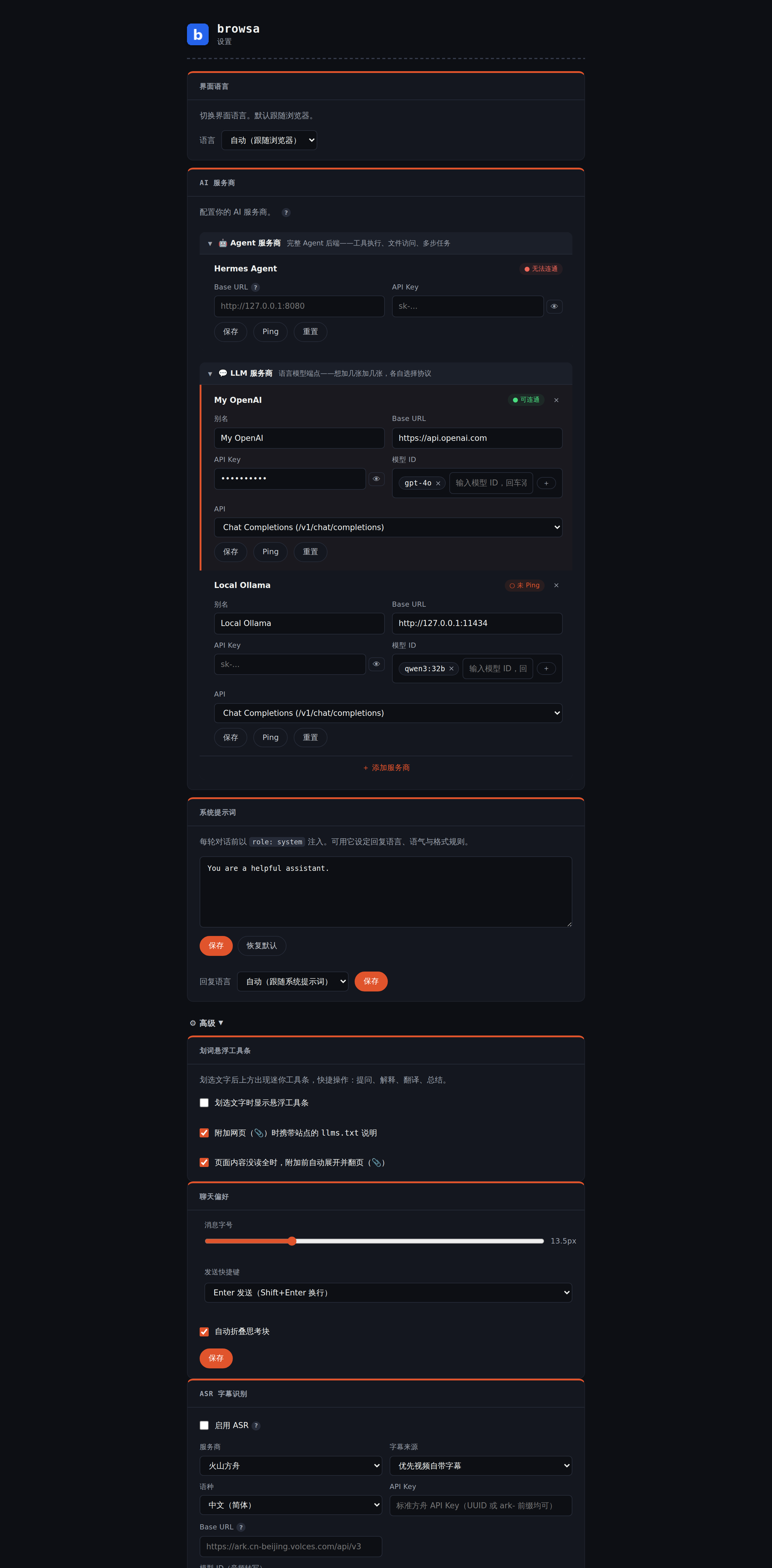
Two things also happen automatically, with no configuration: before sending, credentials in every URL within page context (tokens, passwords, signature params) are removed locally; attachments over ~100,000 characters are chunk-summarized and merged in the background, with [mm:ss] markers preserved.
Where your data flows
browsa's privacy boundary in one sentence: your data moves only between your own browser and the backend you configured. Mechanically:
- API keys are stored on your machine only (
chrome.storage.local) and sent nowhere except the Base URL you entered; - No accounts, no telemetry — install and use; no data ever flows through the developer;
- PDFs are parsed entirely client-side (WASM + pdf.js); the file's bytes never leave your device — only extracted text goes to your model;
- Masked before sending: credentials in every URL within page content (tokens, passwords, signatures, session IDs) are removed locally;
- Content scripts only observe network requests — they never modify, block, or replay them;
- Replies are sanitized with DOMPurify before rendering; Mermaid SVG output is additionally stripped of scripts and event handlers.
The long version: privacy policy.
Browser compatibility
Chrome / Edge 114+ (primary target); Brave 1.56+ should work (same Chromium surface). Firefox is not supported — no side-panel API.